
Time’s burning. One tech’s frozen on a fuse-box diagram while the lift sits dead, and the meter’s still running.
That’s not just delay. That’s draining profit. In a shop world packed with CAN buses and cross-linked modules, your repair software needs to move fast, think smart, and work like your best tech, not like a rep from corporate.
So which one actually pulls its weight?
This guide throws ALLDATA and Mitchell ProDemand into the pit and lines them up where it matters most: Search speed. OEM depth. Real-world fixes. Wiring diagrams. Labor times. Parts links. Mobile flow.
And all the stuff they bury in the fine print, like contract gotchas, login throttles, and pricing games. By the end, you’ll know which system keeps cars moving, comebacks low, and margins clean.
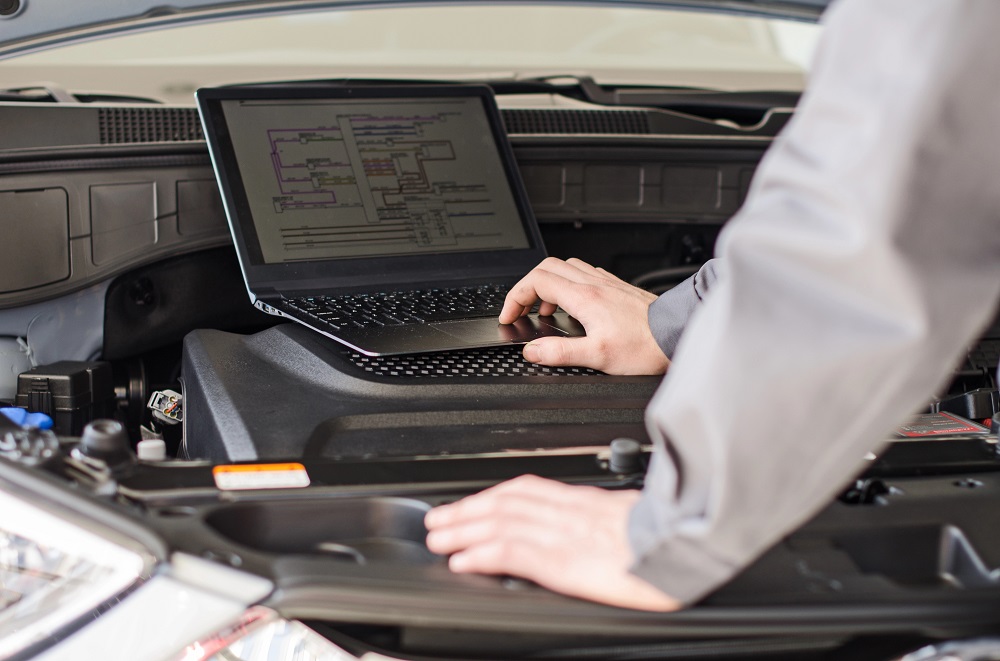
1. Know your shop before picking your platform
Not every shop plays the same game. What works for a five-bay garage might choke a solo mobile tech. Before comparing features or pricing, nail down how your team works, what you work on, and which tools you already lean on.
Small shops, big shops, and everything between
If you’re solo or running two bays, you don’t need a bloated CRM draining your budget. ALLDATAdiy runs about $20 a year and gives VIN-specific access, perfect for DIYers and mobile techs. Stepping up, ALLDATA Repair starts at $209/month and scales modularly.
Mitchell’s starter, ProDemand Repair, runs $184/month but assumes a full shop. It allows five simultaneous logins per location, but multi-shop setups need separate licenses. That adds up fast. Discounts exist, but they’re hush-hush. You’ll need to haggle.
The bigger your bay count, the tighter you need to read the fine print. Mitchell’s per-user fees, login caps, and contract lock-ins catch a lot of shops off guard.
What fills your lifts?
Doing collision work? Don’t settle for general repair bundles. ALLDATA Collision gives unedited OEM procedures for frame sectioning, ADAS sensor swaps, and repairs involving high-strength steel. Mitchell offers an Auto Physical Damage module for claims and estimates, but it’s not as sharp on ADAS specifics.
For mechanical shops, both platforms cover the basics. Mitchell pulls ahead with SureTrack, a live feed of verified fixes that helps shortcut tough diagnostics.
Working on box trucks or diesels? Mitchell’s TruckSeries handles Class 4–8 rigs. ALLDATA isn’t as strong here; some users report gaps for commercial vehicles and oddball imports.
The tools you already rely on matter
Got Snap-on gear? Mitchell syncs cleanly with their scan tools and tablets. It’s a seamless fit.
Order parts through AutoZone? That’s ALLDATA territory. Their Estimator and Repair Planner plug into AutoZone’s catalog for real-time pricing and diagrams. Both systems work with PartsTech, WHI, and Nexpart, but Mitchell boasts broader reach, over 40,000 seller locations.
ALLDATA also plays nice with QuickBooks, a huge help if you handle your own books. Mitchell SE delivers deeper analytics and KPIs but assumes you’ve got staff and structure.
Know your workload, your workflow, and your ecosystem. No platform fits every bay.
2. How clean is the data, and how fast does it update?
If you’re chasing a phantom misfire or calibrating radar on a 2023 SUV, outdated repair data can wreck your timeline. This section skips the brochure talk and breaks down how ALLDATA and Mitchell handle their data pipelines, how fresh the info is, how deep it goes, and how they deal with rare or weird vehicles.
ALLDATA sticks to factory truth, right down to the fine print
ALLDATA’s biggest draw is its raw, unedited OEM data. Every diagram, spec, and procedure comes straight from the automaker. No rewriting. No interpretation. That’s gold when you’re torquing a timing cover or lining up a crush zone with factory specs.
But it’s not spoon-fed. If the OEM buried a step five folders deep under “Body > Frame > Subframe > Reinforcement,” that’s where it lives. Some techs love the purity. Others say it slows them down.
When something’s missing, ALLDATA’s Library Request tool lets you ping their team for the doc. No back-and-forth, just the real thing, often within hours.
Mitchell blends factory flow with real-world shortcuts
Mitchell pulls OEM content too, but adds SureTrack, a huge database of verified fixes from working techs. That means you’re not just following a flowchart; you’re seeing what’s actually solved the issue in other shops.
Their editors vet submissions before they land in the system, so you’re still getting clean data, just with diagnostic detours, known-good voltages, and failure patterns stitched in.
You lose some factory rigidity, but gain speed and context, huge when you’re buried in no-starts.
How fresh is the data, really?
ALLDATA says its system updates frequently but doesn’t publish exact timelines. Still, features like ADAS Quick Reference and Tech-Assist show they’re maintaining the flow.
Mitchell’s clearer. ProDemand updates live in the cloud, and every login hits the newest version. Most TSBs drop within two weeks of OEM release. ADAS data rolls in regularly. Maintenance schedules stretch to 300,000 miles.
If you’re working on brand-new models or servicing high-mileage regulars, Mitchell’s faster cadence may give you the edge.
When the data’s missing, how do they recover?
ALLDATA’s Library Request fills holes fast. If a doc isn’t in the system, request it, they’ll dig it out manually, often same-day.
Mitchell doesn’t offer that, but their SureTrack community often fills gaps with crowd-confirmed fixes, sometimes before a TSB even hits. It’s more informal, but highly usable.
If you want pure OEM with no detours, ALLDATA fits. If you want real-world fixes baked into the workflow, Mitchell brings the speed and context.
3. Can you actually use the wiring diagrams without swearing?
Nothing disrupts momentum like a wiring diagram that won’t scroll, won’t zoom, or turns into a blur as soon as you open it. This section breaks down how ALLDATA and Mitchell handle schematics, code-to-fix flow, and ADAS calibration data, because printouts are dead, and time is money.
ALLDATA diagrams let you trace like it’s live current
ALLDATA’s wiring views aren’t screenshots. You can scroll sideways, zoom tight, and highlight specific circuits. That’s critical when you’re chasing a relay under the dash to a module in the quarter panel.
It mimics OEM layout, so if you’ve used factory manuals before, you’ll feel at home. Some users report occasional fuzziness or missing pinouts on obscure connectors, but for most vehicles, the diagrams are solid.
Collision shops get extra value. ADAS wiring is mapped right into the repair view, showing calibration triggers inline, no bouncing between tabs to figure out which module needs re-aiming after a bumper swap.
Mitchell’s diagrams are cleaner, but not always deeper
Mitchell touts theirs as the most advanced in the game. They’re smooth, colorful, and consistent across brands. That matters when you’re hopping between a dozen makes a week, everything feels familiar.
Each diagram links to SureTrack, so known failure points show up automatically. But it’s not perfect. Pinout detail sometimes falls short, especially on Euro imports or rare models.
Still, if you’re mostly working domestic or need fast flow, Mitchell’s diagrams move the job along.
Code to fix in fewer clicks
ALLDATA Mobile reads a DTC and jumps straight to the matching diagnostic article, no backtracking. Pull a P0456, and you’re inside the EVAP test flow with wiring and test steps already linked.
Mitchell takes it further. Their DTC pipeline opens with factory flowcharts, labor times, and parts listings, all on one page. And if SureTrack has a known fix, it shows before you even open the guide. You’re not just diagnosing, you’re following a trail already blazed by someone else.
For busy bays, Mitchell’s click-to-completion flow saves time.
ADAS calibration stays up front, not buried
Modern repairs don’t stop at reassembly. Every mirror, sensor, and radar unit needs recalibrating, and both platforms know it.
ALLDATA’s ADAS Quick Reference gathers sensor locations, calibration triggers, conditions, and even target images in one spot. It’s a go-to for collision jobs, especially when you’re dealing with boron steel and fragile grille clips.
Mitchell builds ADAS guidance into ProDemand. You’ll see if a scan’s needed, what gear it takes, and what road conditions must be met. It’s detailed, and it’s clear.
Both platforms take ADAS seriously, which matters when you’re working on anything newer than a 2017.
4. Estimating, labor times, and parts, who actually speeds up the job?
Estimating isn’t just paperwork. It’s where profits drain if labor’s low, parts don’t fit, or prices are stale. Here’s how ALLDATA and Mitchell handle labor guides, estimate flow, and parts sourcing.
Labor times: fast quote or full breakdown?
ALLDATA sticks to factory labor times, flat-rate hours straight from OEM books. It’s clean and includes part numbers beside the job. One tech pegged it at “85% accurate” for common work. But when repairs get complicated, ALLDATA tends to bundle steps. That speeds up quoting, but risks skipping sub-ops.
Mitchell breaks everything out. Every bracket, fluid, and retorque gets a line. They build it from OEM data and real-world time studies. You get tighter quotes and better flag-hour tracking.
If you’re doing quick-turn jobs, ALLDATA gets you the number fast. For deep repairs, Mitchell’s detail protects your margin.
Who builds the faster estimate?
ALLDATA’s Estimator lives inside Repair or Collision. It pulls labor and parts into one view, with AutoZone integration and a Repair Planner to flag OEM-required steps. But it feels modular, flexible, but slower if you want one-screen speed.
Mitchell’s Estimate Guide hits harder. You open a job, and it pulls up labor time, OEM part numbers, MSRP, and diagrams, all on one screen. No jumping tabs, no copy-paste. For face-to-face quoting, it’s the faster weapon.
Parts integrations: who taps more shelves?
ALLDATA connects with AutoZone, Transtar, IMC, ATD, and more through WHI, Nexpart, and PartsTech. It’s strong across tires, transmissions, and local jobbers. If your sourcing’s flexible, it covers your bases.
Mitchell, via Manager SE, taps Nexpart Multi-Seller, over 40,000 locations, including NAPA, WorldPac, Advance, and Carquest. Add PartsTech and you’ve got serious depth.
If you’re chasing parts across brands and regions, Mitchell casts the wider net. Both platforms can quote, price, and order without touching a phone.
Collision blueprinting: who flags the stuff you’ll miss?
ALLDATA’s Repair Planner digs through your estimate and flags missed steps, like one-time-use bolts, pre-scans, weld-through primer. It’s built for DRP compliance and keeps liability low.
Mitchell has a DEG-style line checker, but it’s more for audits than real-time flagging. It won’t catch steps as you write.
If you’re blueprinting collision work before it hits the floor, ALLDATA’s tool saves your shop from costly oversights.
5. Who runs your shop while you’re in the bay?
Wiring diagrams and labor times don’t grow your shop alone. Profit lives in workflow, upsells, and follow-ups. Here’s how ALLDATA and Mitchell handle shop management, digital inspections, CRM, and analytics.
Workflow that doesn’t bottleneck the day
ALLDATA Manage Online is cloud-based and simple. ROs, estimates, invoices, tech assignments, it covers the basics, links with QuickBooks, and avoids bloat. For small shops, it’s the right size.
Mitchell Manager SE goes deeper. It tracks jobs across bays, clocks tech efficiency, and runs 180+ reports, from GP per RO to labor-hours sold per day.
If you’re juggling more than a few bays, Mitchell gives you a clearer picture of where time’s leaking.
Digital inspections that don’t slow the line
ALLDATA’s inspection tool lets techs snap photos, log notes, and send reports to the customer inbox. It’s solid but stays inside the ALLDATA world.
Mitchell’s Mobile ManagerPro handles VIN decoding, multi-point inspections, photos, and chat, all from one app. Service writers can quote directly off the inspection sheet. It’s built to move at the vehicle, not from a desktop.
If your team’s all-in on DVIs, Mitchell makes it smoother and faster.
CRM: ALLDATA’s light touch vs. Mitchell’s full campaign
ALLDATA offers basic follow-ups and inspection reports, but no full CRM. No emails, no retention engine.
Mitchell’s SocialCRM is a full-blown marketing suite. It sends reminders, pushes promos, collects reviews, and syncs with Google. You can run loyalty campaigns without hiring a marketer.
If filling bays in slow weeks matters, Mitchell brings what ALLDATA skips.
Reports that actually mean something
ALLDATA’s reporting covers the basics, sales totals, invoices, parts-versus-labor. But filters are limited, and deeper insights (like job-type profitability) are often missing.
Mitchell SE gives you full analytics. Profit per job, hours billed, technician metrics, job breakdowns, it’s all tracked.
If you’re running by the numbers, Mitchell’s reporting helps you stay sharp.
6. Mobile tools that don’t choke in the bay
Paper’s dead. Whether you’re pulling codes at the bumper or quoting from a tablet, mobile tools need to be fast, stable, and actually useful. Here’s how ALLDATA and Mitchell perform on phones, tablets, and weak shop Wi-Fi.
App or just a mobile-friendly site?
ALLDATA Mobile is the real deal, a full app, not just a website with buttons. It runs clean on tablets and phones, lets you zoom wiring diagrams, scan VINs, and highlight circuits. Built for in-bay use.
Mitchell ProDemand is browser-based but responsive. It works on mobile, just not as an app. For inspections and quotes, Mobile ManagerPro handles photos, VIN decoding, and estimates in a dedicated app. So Mitchell splits the work between two tools: repair in the browser, management in the app.
ALLDATA keeps it all in one app. Mitchell divides it, but does it cleaner.
What can you really do on mobile?
With ALLDATA Mobile, you can pull DTCs, freeze-frame data, check emissions readiness, and jump straight to repair info. But users say it can lag, especially on older devices or weaker connections.
Mobile ManagerPro is snappier. Techs and writers can decode VINs, run inspections, upload photos, and build estimates, all from one screen. Paired with ProDemand, it covers nearly everything you’d do at a desk.
ALLDATA’s unified app works well, but Mitchell’s split setup runs smoother for shops with tablets at every bay.
Can they handle bad Wi-Fi?
Neither platform works offline. Both need a live connection, especially for parts pricing and SureTrack fixes.
But Mitchell handles weak Wi-Fi better. It caches views, loads faster, and holds up longer when the signal drops. ALLDATA Mobile is more likely to freeze or crash under pressure.
If your internet’s spotty, Mitchell’s the safer bet.
7. What it really costs to run these systems
The monthly fee’s just the start. What you get, what’s hidden, and how hard it is to walk away matters just as much.
ALLDATA breaks it down upfront
It’s modular. Repair is $209/month. Collision is $249. Add Manage Online for $99, Mobile for $39. Estimator and Community come included with a base sub.
No bundles, no fluff. You buy what you need. That’s good news for smaller shops looking to grow without overcommitting.
Mitchell loves bundles, and haggling
ProDemand Repair starts at $184/month. Add Estimating and it’s $194. Go for the full TeamWorks bundle (with shop management) and it’s $265/month. Mobile ManagerPro is another $220/month.
They rarely post real prices. Most shops have to call and negotiate. Some score deals. Others say prices jumped without warning.
If you want predictable billing, ALLDATA is safer.
Logins, licenses, and multi-shop headaches
ALLDATA charges per module, and user limits are clearer. Multi-shop licensing is a bit vague, but the modular setup helps control costs.
Mitchell gives you 5 logins per shop. Want to add a second location? That’s another license. Discounts exist, but you’re paying double. And remote access from Manager SE is limited unless you’re server-based.
For growing shops, Mitchell’s structure can stack up fast.
Contract traps and cancellation trouble
ALLDATA’s not perfect. Some users report billing mix-ups or sluggish support. But canceling? Usually not a fight.
Mitchell’s got a rep. Complaints include “non-cancelable” trials, reps overpromising on the phone, and aggressive auto-renewals. BBB and iATN threads are full of shops feeling stuck in contracts they can’t shake.
If flexibility matters, this stuff isn’t small; it’s a dealbreaker.
8. What real techs love, and hate, about each system
Sales reps can shine anything. What matters is how these platforms hold up under pressure, on cold starts, hot bays, and bad Wi-Fi. Here’s what techs in the trenches actually say.
What techs like: speed, layout, and real fixes
ALLDATA earns praise for its horizontal wiring diagrams, clean layout, and factory-authentic content. If you’re after pure OEM info, it delivers, even if it takes a few clicks.
Mitchell wins big with SureTrack. Real-world fixes pop up mid-search, often shaving diagnostic time in half. Its Estimate Guide also gets high marks, labor, parts, and diagrams on one screen, keeps quoting fast and clean.
Both platforms load quick searches and decode VINs fast. No lag, no delay.
What techs hate: weird layouts, lag, and data gaps
ALLDATA catches heat for app crashes, fuzzy diagrams on older models, and deep menu paths that hide simple answers. Exotic coverage is another weak spot, think Ferrari, not Ford.
Mitchell gets louder gripes. The interface feels dated. Euro coverage, especially Porsche and Mercedes, is light. And if you don’t already know the menu layout, it can feel like a maze. SureTrack doesn’t always cover rare codes or low-volume models.
ALLDATA rewards precision. Mitchell rewards speed and pattern recognition.
Support, who actually picks up the phone?
ALLDATA offers live support from ASE Master Techs via Tech-Assist. It’s a real lifeline for tricky electrical jobs or rare systems. Their Community forum is slower-moving but accurate.
Mitchell leans on the SureTrack Community, fast, peer-based answers for known issues. But formal support? It’s all email tickets. Techs report long waits and follow-ups that go nowhere.
If you want live help, ALLDATA wins. For quick crowdsourced tips, Mitchell’s faster.
Contracts: the elephant in the room
ALLDATA’s billing and support get complaints, but Mitchell’s contract problems are worse.
Shops report getting locked into multi-year terms after what felt like a trial. Others say canceling took legal pressure. BBB, Reddit, G2, all echo the same thing: Mitchell’s software works, but the contract terms can wreck your runway.
It’s not just about features, it’s about what happens when you try to leave.
9. Which one fits your shop? Real-world matchups
No two shops run the same. A five-bay repair center and a one-man mobile tech don’t need the same tools. Here’s where ALLDATA and Mitchell ProDemand land in real use cases:
| Scenario | Best Fit | Why It Works |
|---|---|---|
| High-volume collision shop | ALLDATA Collision + Repair | OEM sectioning, ADAS calibration, repair planner tools |
| Five-bay general repair, scaling up | Mitchell TeamWorks | CRM, labor tracking, deep reporting, job flow |
| Euro performance boutique | Either + OEM plug-ins | Both need help here—factory info fills the gaps |
| Budget mobile tech | ALLDATAdiy or Repair only | Low cost, full mobile app, no fluff |
| Snap-on shop | Mitchell ProDemand | Direct integration with Snap-on tools |
| AutoZone-sourced parts shop | ALLDATA | Estimator + Repair Planner link straight to AutoZone stock |
| Heavy-duty truck specialist | Mitchell TruckSeries | Full Class 4–8 support, made for commercial rigs |
There’s no one-size-fits-all here. This isn’t about brand loyalty, it’s about shop fit. Some shops need lightning-fast estimates. Others need bulletproof OEM diagrams. Match the tool to the work, and your bay keeps moving.
10. Don’t just buy it, test it like a live tool
Picking a platform without pressure-testing it is like buying tires without checking the bolt pattern. Before you sign anything, run it through real shop work.
Use real jobs, not demo fluff
Skip the pretend walk-through. Grab an active repair order, a comeback case, and something weird with electrical. Run all three through ALLDATA and Mitchell. See which one gets you to the fix quicker, and which one buries you in clicks.
Let your techs drive. If they hate the workflow, you’ll feel it in the flag hours.
Parts and accounting links aren’t side features, they’re core
Use QuickBooks? See if the platform syncs cleanly. ALLDATA links out of the box. Mitchell might need more setup.
Test your parts pipeline too. Do your suppliers show up in Nexpart or PartsTech? Does pricing load instantly? A couple minutes shaved off each estimate adds up fast over the week.
Train your team, or brace for chaos
ALLDATA offers onboarding help, screen-share support, and live visits. Mitchell’s got webinars, live coaching, and a hotline to a product expert.
But neither replaces proper in-shop practice. Make sure your crew knows how to search, quote, and document. Give it a week, then ask. If they’re still guessing where to find a fuse diagram, it’s the wrong setup.
Track your numbers before and after
Before flipping the switch, grab your current stats: labor hours sold, comeback rate, average RO, close rate. Then check again at 30 and 90 days.
If those numbers don’t climb, the system’s not doing its job.
Lock the right platform before it locks you
You’re not just buying software. You’re locking in how your shop runs day to day. Choose wrong, and you’ll feel it in every invoice and every comeback.
Match the system to your workflow
If your techs follow factory steps by the book, ALLDATA delivers pure OEM, no summaries, no edits. If your crew works faster by pattern recognition, Mitchell gets them real-world fixes, fast.
Ignore the bells and whistles. Choose what fits your bay.
Read the contract before you touch the demo
Mitchell often looks cheaper, but the real terms come later. Too many shops sign multi-year deals thinking they’re on a trial. If a rep promises it’s cancelable, get it in writing. If they won’t put it in writing, walk.
ALLDATA’s pricing is clearer. Less haggling, fewer horror stories.
Watch your numbers, don’t assume it’s working
Track what matters: labor per RO, close rates, parts margin, comebacks. If those numbers don’t budge, or get worse, the software’s just slowing you down.
Looks don’t matter if your lifts are still stuck. Pick the system that makes your team faster and your numbers stronger. Anything else is overhead in disguise.
Sources & References
- ALLDATA – Wikipedia
- About Us | ALLDATA
- OEM Mechanical and Collision Information | ALLDATA
- Mitchell 1 – Wikipedia
- About Mitchell 1
- Auto Repair Software & Shop Management Solutions | Mitchell 1
- OEM Automotive Mechanical Repair Information | ALLDATA
- OEM Repair Information for Professionals | ALLDATA
- ALLDATA Pricing Page
- OEM Automotive Collision Repair Info | ALLDATA
- ALLDATA INSPECTIONS
- ALLDATA Mobile – Google Play
- ALLDATA Mobile System Requirements
- ProDemand | Mitchell 1
- PRODEMAND Video Gallery | Mitchell 1
- Labor & Parts Estimating Guide | Mitchell 1
- Estimate Guide – PRODEMAND
- Mobile ManagerPro | Mitchell 1
- Mitchell | P&C Claims Solutions
- ProDemand Tablet & Mobile Support – Reddit Thread
- ProDemand Feature Overview PDF | Mitchell 1
- Mitchell 1 Secure eCommerce (ProDemand Purchase)
- ALLDATA Reviews – SoftwareSuggest
- ALLDATA DIY Subscription – USA
- ALLDATA Software Review – Software Render
- ALLDATA App – Apple App Store
- ALLDATA Parts Catalog Vendor Setup
- Mitchell 1 Integrates Nexpart Multi-Seller | Press Release
- PartsTech + Mitchell 1 Integration
- Compare ALLDATA vs Mitchell 1 | G2
- ALLDATA Labor Times – Europe
- Mitchell 1 Labor Times FAQ
- ALLDATA Manage Online
- SureTrack FAQs | Mitchell 1
- Mitchell 1 Reviews | G2
- ProDemand Customer Reviews | iATN
- ALLDATA BBB Reviews
Was This Article Helpful?