
Tap Entune in a Toyota from the mid-2010s, and the screen feels frozen in time. No Maps handoff, no Siri, just clunky apps and the same AUX cord that’s been living in the glovebox for a decade.
Between 2014 and 2018, Toyota sold over 4 million U.S. vehicles without Apple CarPlay. By 2019, the switch flipped, and new models got CarPlay, while the earlier fleet was stuck with outdated software.
This guide runs through every upgrade path: dealer firmware updates where Toyota allows it, hidden-in modules that graft CarPlay onto the stock screen, full head-unit swaps that modernize the dash, or low-cost wireless dongles and portable displays.
The goal is simple: pick the option that fits your Toyota, your budget, and your patience.
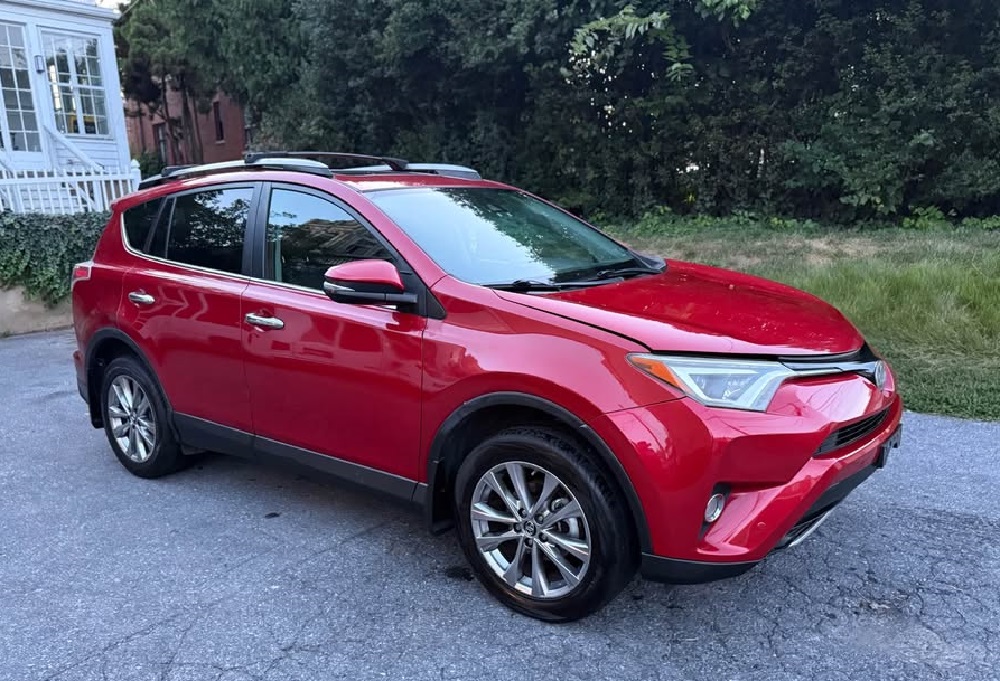
1. Toyota and CarPlay: background you need
What CarPlay actually gives you behind the wheel
Apple CarPlay goes far beyond a fresh home screen. It turns your iPhone into a driving tool, cutting distractions and keeping controls simple. Siri handles maps, calls, texts, and audio without you digging through menus.
The apps you already use, Google Maps, Apple Maps, and Podcasts, pipe right into the car’s system. The biggest win is uniformity. Every CarPlay setup feels the same, so you’re not stuck relearning Toyota’s clunky Entune menus.
How Toyota infotainment fell behind and then caught up
Toyota leaned on its in-house Entune system through 2014–2018, while Honda, GM, and others were already offering CarPlay. Entune offered a few app tie-ins, but owners griped about laggy screens, weak third-party support, and no true phone mirroring.
The pivot came in 2019, when Toyota launched its Audio Multimedia platform and rolled CarPlay and Android Auto across most of the lineup. That left millions of reliable Toyotas instantly dated when it came to tech.
Why owners chase the upgrade
Pre-2019 Camrys, RAV4s, Tacomas, and Siennas still drive fine, but the cabin tech feels stuck in another era. No live reroutes, no smooth voice-to-text, no wireless streaming without clumsy workarounds.
Owners want the modern features, navigation, messaging, and streaming, without losing their backup camera, JBL audio, or steering-wheel buttons. That balance is the real target.
2. The official route, where Toyota actually says yes
The factory path is narrow
In the U.S., Toyota only supports a software retrofit on the 2018 Camry and 2018 Sienna. Dealers flash the firmware to unlock wired Apple CarPlay and Toyota+Alexa. No new screen, no dash teardown, just a quick update.
What the flash delivers
CarPlay boots on the stock screen and works like any built-in setup. Steering-wheel controls, backup camera, and chimes stay untouched. It’s wired only, so your iPhone plugs in and charges during the drive. On Sienna trims with Rear Seat Entertainment, DLNA, and Miracast pause once CarPlay is running.
The moving target of dealer pricing
Toyota’s wording is vague, leaving dealers to interpret. Some tack on a small fee, others fold it into a scheduled service with no extra line. Best bet: expect a modest charge and consider it a win if it’s comped. VIN eligibility comes first; cost is secondary.
How to book it cleanly
Call service and say, “I need the 2018 Toyota CarPlay software enhancement, VIN ready.” Confirm eligibility before you go, and make sure the repair order mentions wired CarPlay. When you pick it up, test CarPlay, the camera, and steering-wheel controls before driving off.
Where the limits bite
Eligibility is razor-thin. Outside the 2018 Camry and Sienna, the dealer path doesn’t exist. Wireless CarPlay isn’t part of this deal, so cable-averse commuters won’t be thrilled. On Siennas, RSE streaming features go dark while CarPlay is active.
3. Aftermarket paths most Toyota owners actually take
Full head-unit swap: rip and replace for max payoff
This is the move when you want the sharpest screen and fastest system. Alpine, Kenwood, Pioneer, and Sony all sell receivers with wired and wireless CarPlay.
You’ll see brighter displays, quicker response, and often a big jump in sound quality thanks to stronger DACs and higher-voltage pre-outs. For audiophiles, it’s the launch pad for bigger upgrades; DSP tuning, amps, and subs all start here.
The tradeoff is that it’s never plug-and-play. You’ll need a dash kit, harness, steering-wheel control adapter, and modules to retain the camera or JBL amp. JBL systems especially require the right iDatalink or PAC interface. Done right, the swap looks close to factory and works seamlessly.
Cut corners, and you’ll lose steering controls, warning chimes, or your backup camera. DIY is doable, but expect hours of panel pulling and wiring.
Most owners hand it to a shop for $100–$300 in labor, bringing the full tab anywhere from $300 for a basic unit to $1,500+ for premium setups.
Integration module: sneak CarPlay into the stock screen
If you like the factory look and only want CarPlay on top, an integration module is the compromise. Brands like Hamilton Motor Company and NavTool splice into the video and audio feed.
From the driver’s seat, it still looks stock: same screen, same buttons, with CarPlay added. Steering-wheel controls and the backup camera usually stay intact, and the harnesses are made for Toyota, so you’re not cutting wires.
Performance is the tradeoff. The system is limited by the stock screen’s resolution, brightness, and speed. If Entune lagged before, the overlay won’t fix it.
Because the module sits as an extra layer of tech, glitches happen, random reboots, dropped signals, or sluggish touch input show up in owner reviews. Still, at $450–$750 installed, it’s the cleanest way to keep the OEM dash while adding CarPlay.
Minimalist add-ons: the cheap and dirty fixes
Already have wired CarPlay but hate plugging in? A wireless dongle is the shortcut. Plug it into the USB port, pair once, and it auto-connects from then on. They’re cheap ($65–$150) but not flawless: connection drops, audio lag, and occasional Bluetooth-Wi-Fi handshake failures are common.
Driving an older Toyota with no CarPlay at all? A portable CarPlay screen is the fallback. These mount to the dash or windshield, plug into the 12-volt outlet, and use built-in speakers.
They don’t integrate with your Toyota’s controls, no steering buttons, no camera feed. They clutter the cabin, but at $80–$300, they deliver maps and streaming without tearing apart the dash.
4. Cost, parts, and time: what you’ll actually spend
Hardware costs in the real world
Head units run $200–$1,200. Integration modules fall in the $300–$650 range. Wireless dongles land at $65–$150, and portable screens go for $80–$300. Dealer firmware for a 2018 Camry or Sienna depends on VIN eligibility and what the store decides to charge.
The accessory trap that empties wallets
A head-unit swap is never just the radio. Add a dash kit ($15–$60), Toyota harness ($10–$30), steering-wheel interface ($40–$170 for iDatalink or PAC), and camera or JBL amp adapters ($20–$120 each). Don’t forget USB pigtails and trim clips; skip them, and you’ll end up with rattles or a dead port in a month.
Labor: your hours versus shop rates
DIY takes 2–6 hours if you’re comfortable with trim tools and wiring. Shops charge $100–$300, more if the car has JBL, a 360 camera, or Prius-sized screens.
CAN-bus vehicles are where shops earn their keep; they know which adapter combo preserves chimes, cameras, and wheel controls the first time.
The real totals, not brochure math
| Upgrade path | Hardware | Required accessories | Pro labor | Typical all-in |
|---|---|---|---|---|
| Dealer software, 2018 Camry or Sienna | Varies by dealer | None | Varies | Varies |
| Head-unit replacement | $200–$1,200 | Dash kit, Toyota harness, SWC, camera, or amp | $100–$300 | $300–$1,500+ |
| OEM-screen integration module | $300–$650 | Usually included harnesses | $150–$250 | $450–$750 |
| Wireless dongle | $65–$150 | USB cable | DIY | $65–$150 |
| Portable CarPlay display | $80–$300 | Mount and power | DIY | $80–$300 |
Headache savers worth noting
JBL and 360-camera trims often demand specific adapters; skip them and you’ll lose steering controls, chimes, or your camera feed. Update the head unit or module firmware before buttoning up the dash; stale code is behind half the “why does CarPlay keep dropping” complaints.
5. Compatibility check: which Toyotas actually play nice
Dealer retrofit, the narrow door
Only two models make the cut for Toyota’s official software patch: the 2018 Camry and 2018 Sienna. Those VINs can roll into a dealer and leave with wired CarPlay. Every other Toyota from the Entune years is locked out.
The 2014–2018 sweet spot for aftermarket
Most Camry, RAV4, Corolla, Highlander, Tacoma, and Tundra models from 2014–2018 are prime candidates for head-unit swaps or integration modules.
Kits are widely sold and well-documented. Install steps vary, though, JBL amps and 360° camera trims demand the right adapters to avoid losing key features.
Known trouble trims and oddballs
Bird’s-Eye View camera systems often trip up integration kits, with many refusing to support them. Prius models with the 11.6-inch portrait screen face the same wall; most kits skip them entirely.
Even within the same model year, trim wiring can change compatibility. That’s why VIN confirmation and careful reading of kit footnotes aren’t optional.
Quick reference by model
| Model | Years (pre-native CarPlay) | Dealer retrofit? | Best upgrade paths | Notes |
|---|---|---|---|---|
| Camry | 2014–2017 | No | Head unit or integration module | 2018 has official software path (wired only) |
| Camry | 2018 | Yes | Also supports aftermarket | Dealer adds wired CarPlay |
| RAV4 | 2014–2018 | No | Head unit or integration module | 360° camera trims can be tricky |
| Corolla | 2014–2018/2019 | No | Head unit or integration module | Options vary by trim and head unit |
| Highlander | 2014–2019 | No | Head unit or integration module | Many kits exclude 360° camera trims |
| Sienna | 2014–2017, 2019 | No | Head unit or integration module | 2018 only gets dealer software |
| Tacoma | 2014–2019 | No | Head unit or integration module | Aftermarket support is strong |
| Tundra | 2014–2019 | No | Head unit or integration module | JBL amp and camera retention need planning |
6. Keeping factory features alive during the upgrade
Steering-wheel controls, the first casualty
Swap a head unit without the right interface, and your volume and call buttons go silent. The fix is an iDatalink Maestro or PAC module designed for Toyota.
These adapters bridge the new radio with the CAN-bus so the car still reads button inputs. Skip them, and you’ll lose the shortcuts you use every day in traffic.
Backup and 360° cameras, fragile but saveable
Most Toyotas from 2014 on have factory cameras tied directly to the stock radio. Once that unit is gone, a camera-retention adapter keeps the feed alive.
On 360° systems, the hurdle is bigger; many modules ignore the surround-view entirely. Unless the kit specifically lists your trim, assume the cameras won’t work until you add a higher-end adapter or accept a feature downgrade.
JBL amps and the quiet-car problem
Toyota’s JBL setups don’t run on bare speaker wires. They rely on a factory amp, and dropping in a new radio without the right harness leaves you with low volume, hiss, or no chimes.
JBL-specific harnesses reroute the digital signal properly. They cost more, but they save you from tearing the dash apart twice.
Factory mic and rear-seat screens, the gray zones
Replace the head unit, and the factory mic almost always stops working. Most kits include a new mic you’ll need to mount near the cluster.
On Siennas with Rear Seat Entertainment, CarPlay often clashes with factory streaming features; mirroring and casting may shut off while CarPlay is active. Some owners accept the tradeoff; others wire a bypass to keep RSE separate.
7. Wired or wireless: how it actually feels on the road
Wired CarPlay, the plug that keeps things steady
Plug in, CarPlay loads, the phone charges, and the link stays solid. USB keeps latency low, so maps scroll cleanly and calls don’t break up when traffic gets heavy.
Long trips favor wired because the battery climbs instead of drains, and the phone doesn’t overheat. If you want the most reliable setup, this is the baseline.
Wireless CarPlay, quick but finicky
Pair once, and it usually wakes up on its own. The system starts over Bluetooth, then switches to Wi-Fi for the heavy work. That handoff is where problems creep in, audio hiccups, brief drops, or full disconnects when other Bluetooth gear is nearby. Short drives feel seamless, but longer errands with heavy app use can expose lag you’ll notice.
Battery, heat, and data: the hidden costs
Wireless drains harder. Phones run warmer because they’re driving Wi-Fi while baking in the sun. Heat slows performance, and a phone that was snappy starts to stutter through maps and audio.
Wired avoids that spiral and tops off the battery as you go, which matters on road trips when navigation, calls, and streaming all pile on.
The smart play: pick a unit that does both
Go for a head unit or module that supports both wired and wireless CarPlay. Use wireless for quick errands, then plug in for long hauls, summer heat, or when passengers are streaming.
Make sure your iPhone is set as the priority device, keep firmware updated, and clear out old pairings so the system doesn’t chase ghost profiles.
8. Common CarPlay headaches and fixes that actually work
The cable curse with wired CarPlay
If CarPlay drops every time you hit a bump, the cable’s usually to blame. Cheap or worn cords lose signal, and dirty Lightning ports make it worse.
Swap in an MFi-certified cable, clean the port with a toothpick or brush, and try a second USB input if the car has one. Nine times out of ten, random disconnects vanish here.
Wireless that won’t wake up
When wireless CarPlay refuses to connect, the weak link is usually the Bluetooth-to-Wi-Fi handshake. The fix: reboot both iPhone and head unit, forget the car in iOS settings, then re-pair from scratch. Updating firmware on the head unit or module also clears bugs that block auto-connect.
Stutters, lag, and chopped-up audio
Wireless CarPlay fights for space with every Bluetooth gadget in the cabin, from earbuds to OBD dongles. Add background iOS tasks and the stream stumbles.
Closing unused apps, toggling Bluetooth, or plugging in for longer trips usually smooths it out. If you insist on wireless daily, trim down the car’s Bluetooth memory to just your phone.
Car forgets your phone every drive
If the system refuses to remember, the pairing profile is broken. Reset the priority list so your phone is marked as auto-connect, then re-approve CarPlay in iOS. On some Toyotas, you need to wipe all devices first, or the system keeps chasing the wrong slot.
Missing cameras or dead steering buttons
If the backup camera or steering-wheel buttons vanish after install, the adapter chain is the problem. Either the wrong harness was used, or the firmware was never updated.
The cure is simple: use the correct Toyota-specific adapter (Maestro or PAC) and flash it with current firmware. Without it, you’ll keep losing factory features.
Quick symptom guide
| Symptom | Likely cause | Fix |
|---|---|---|
| Random disconnects (wired) | Weak cable, dirty port | Use MFi cable, clean port, try another USB |
| Wireless won’t connect | BT/Wi-Fi handshake glitch | Reboot both, forget/re-pair, update firmware |
| Audio stutter or lag | Interference, iOS tasks | Close apps, toggle BT, trim paired devices, go wired |
| Car forgets device | Bad pairing profile | Reset priority, re-approve in iOS, clear other devices |
| Lost SWC or camera | Wrong/missing adapter | Install Toyota adapter, flash firmware, verify wiring |
9. Pick your path: match the upgrade to your patience
Factory look without tearing the dash
Stick with the stock screen and add an integration module. You’ll keep your steering buttons, backup camera, and Toyota menus, with CarPlay overlaid when you need it.
Just know performance will match the old screen, resolution, brightness, and touch response won’t suddenly improve. If a clean cabin matters more than shiny pixels, this is the smart bet.
Best screen and sound: go all in
Swap in a modern head unit from Alpine, Kenwood, Pioneer, or Sony. You’ll get a brighter display, quicker response, wireless CarPlay, and stronger sound thanks to better DACs and pre-outs.
But you’ll need the right adapters for JBL amps and cameras, or you’ll lose features you rely on daily. For drivers chasing a decade of tech upgrades in one move, this is the heavy hitter.
Already have wired CarPlay but hate cables
Drop in a wireless dongle and leave the rest of the car alone. Pair once, and it should wake on its own with maps and audio ready. Expect the occasional handshake hiccup, especially in Bluetooth-heavy cabins or with old firmware. If convenience outranks rock-solid stability, this is the cheapest way to cut the cord.
Cheap and reversible for an older Toyota
Portable CarPlay screens run off the 12-volt outlet and mount on the dash in under an hour. You won’t get steering buttons or camera integration, and cable clutter is real if you’re sloppy with mounting. But for second cars or lease returns, it’s the low-risk way to ditch 2014 tech without pulling the dash apart.
10. The install checklist that saves headaches later
Confirm your Toyota’s quirks before buying
Start with the VIN. Look for JBL amps, 360° cameras, oversized Prius screens, or Sienna rear-seat entertainment. These decide which harnesses and modules you’ll need. Miss one, and you risk losing sound, cameras, or features you won’t get back.
Decide on wired versus wireless early
Pick hardware that supports both. That way, you can cruise wire-free on short drives but plug in when lag or heat shows up. Owners who skip this regret it the first time wireless drops mid-commute.
Build the parts list like a pro
Bare minimum: the head unit or module, a Toyota dash kit, harness, and SWC/camera/JBL adapters. If the factory mic won’t carry over, plan on mounting the aftermarket mic. Label every connector before you pull the dash; it’ll save hours putting it back together.
Update firmware before the first drive
Most head units and modules ship with stale firmware. Flash the Toyota-specific updates before buttoning up the dash. Skipping this step is why so many owners complain CarPlay drops out on day one.
Route cables with patience
Sharp bends and loose pigtails cause intermittent failures. Use good USB extensions, secure them behind panels, and leave enough slack for phone movement. A sloppy cable job is the hidden weak link.
Test in a set order
Power on first, check the camera feed, steering buttons, and audio balance. Then test CarPlay wired, then wireless. Fixing bugs with the dash still open beats tearing it apart twice.
11. Warranty and risk: what Toyota can and can’t deny
The dealer update: the safe lane
Own a 2018 Camry or 2018 Sienna? The dealer firmware retrofit is as clean as it gets. It’s VIN-approved, logged in Toyota’s system, and doesn’t touch wiring or hardware. That means your warranty stays intact. This is the only CarPlay path Toyota fully signs off on.
Aftermarket installs under U.S. law
Here’s where nerves kick in. The Magnuson-Moss Warranty Act stops Toyota, or any brand, from voiding your entire warranty just because you swapped in a head unit or module.
But they can deny a repair if they prove the aftermarket gear caused it. If a cheap harness fries the CAN-bus and cooks the ECU, Toyota’s not covering that tab.
What dealers actually flag
Most service departments ignore CarPlay installs unless they see sloppy work. Cut wires, hacked harnesses, or burnt pigtails draw attention.
Use proper adapters, keep wiring clean, and you’re rarely questioned. Save the factory parts in a box. If warranty work ever comes up, you can swap back to stock in under an hour.
Paperwork and receipts as cheap insurance
Keep receipts for your head unit, adapters, and install labor if you didn’t DIY. If Toyota pushes back, showing you used Toyota-compatible gear helps your case. It proves you didn’t hack it together with bargain-bin parts.
12. Example builds that just work
OEM-plus commuter: stock look, no drama
Keep the factory head unit, add a Toyota-specific integration module, and order the plug-and-play harness. Steering buttons, backup camera, and chimes all stay alive.
Plan $300–$650 for the module plus $150–$250 for labor. Expect wired CarPlay stability and the same screen performance you started with.
Sound-focused daily or road-trip family
Go full head unit from Alpine, Kenwood, Pioneer, or Sony with wired and wireless CarPlay, DSP, and high-voltage pre-outs. Pair it with an iDatalink or PAC interface so JBL amps, SWC, and cameras work as they should.
Expect $700–$1,500 with pro install, more if you add an amp or sub later. You’ll get a brighter screen, faster touch, and sound worthy of the rest of the car.
Budget fix: wired CarPlay but hate cords
Already have wired CarPlay? Add a solid wireless dongle that supports firmware updates. Do a clean re-pair, set your phone as priority, and clear out stale devices. Costs $65–$150 and takes minutes. Great for short trips, though you’ll still want a cable on long drives when heat and lag creep in.
Older Toyota or lease: cheap and reversible
Mount a portable CarPlay display, power it from the 12-volt outlet, and leave the dash untouched. For $80–$300, you get maps, calls, and audio with no wiring risk.
You won’t keep steering controls or the factory camera, but you’ll avoid clutter if you mount and route cables cleanly. Ideal for second cars or leases where you don’t want a weekend of teardown.
Which Toyota CarPlay path actually makes sense
If you own a 2018 Camry or Sienna, start with the dealer software flash. It’s clean, non-invasive, and warranty-safe. Everyone else is in aftermarket territory. If the stock dash look matters most, go with a Toyota-specific integration module.
If you want the best screen and strongest audio, a premium head unit with wired and wireless CarPlay is the heavy hitter. On a tight budget, wireless dongles or portable screens will do the job, but expect quirks on longer drives.
Sources & References
- How to Set Up Apple CarPlay in Your Toyota Vehicle
- Upgrade to Apple Carplay™ and Android Auto – Toyota UK
- Toyota – Apple Carplay OEM Upgrades – 2014 – 2019 – TTW
- Best CarPlay Stereo vs Factory Head Units: Know Difference – AutoSky
- Toyota Apple CarPlay and Android Auto upgrade
- iOS – CarPlay – Available Models – Apple
- Toyota Wireless CarPlay Upgrade from RDVFL
- Apple CarPlay Enhancment – FAQs – Techinfo Toyota
- What is the cost of Apple CarPlay®? – Toyota support
- Adding Apple Carplay and Android Auto To A 4Th Gen 4Runner – Canadian Gearhead
- Apple CarPlay Receivers – Best Buy
- Best Apple CarPlay Products | Car Toys
- 2016 – 2019 Tacoma Alpine Head Unit Installation Guide – Trail Grid Pro
- Why an Android CarPlay Module Is a Game Changer for Your Car – TFLcar
- Install Wireless CarPlay & Android Auto – Car Tech Studio
- Aftermarket Stereo Installation : r/Camry – Reddit
- Toyota backup camera harness – Stereo Install Kits – AutoHarnessHouse
- 2014-2019 Toyota Sienna Hamilton Upgrade Kit for CarPlay® and Android Auto
- I had a positive experience with NavTool…. – CarPlay – Reddit
- Toyota Apple Carplay Kits – Hamilton Motor Company
- CarPlay messed up? : r/Camry – Reddit
- Anybody else getting this? (see description) : r/Tacomaworld – Reddit
- ACP-WL | Wireless CarPlay Dongle for Select Factory & Aftermarket Radios with CarPlay
- Wired Apple CarPlay & Android Auto dongle – Sigma Car Stereo
- (Autokit) Carlinkit Wireless CarPlay Dongle for Android Head Unit
- How Much Does Apple CarPlay Really Cost? A Budget Breakdown for NJ Drivers – AutoWorks
- How Much Does It Cost to Install Apple CarPlay? – Pro Car Sound & Security
- Apple CarPlay with Toyota – is that typical? – Reddit
- CarPlay Installation Cost Guide 2025: Professional & DIY Pricing – Car Tech Studio
- PAC CAM-TY12 Backup Cam Adapter Retain your factory backup camera or add an aftermarket camera to select 2014-16 Toyota and Scion vehicles – Crutchfield
- Car Stereo Installation Parts – Steering Wheel Control Interfaces – Singh Electronics
- Camry Apple CarPlay Issues – Reddit
- If you need help with CarPlay – Apple Support
- Apple CarPlay not working? Here’s how to fix it | Asurion
Was This Article Helpful?