
Tap the screen. Call directions. Let the car watch traffic while you hold the wheel light. That’s the promise behind Toyota’s tech package. Bigger screens, smarter safety, and cloud features show up across 2025–2026 models.
Toyota also changed the wiring under it all. Arene and the first Toyota Safety Sense 4.0 rollout on the 2026 RAV4 push these systems to share data and update over time.
This guide cuts through the package. Which parts actually reduce workload, and which ones just add layers to the dash.
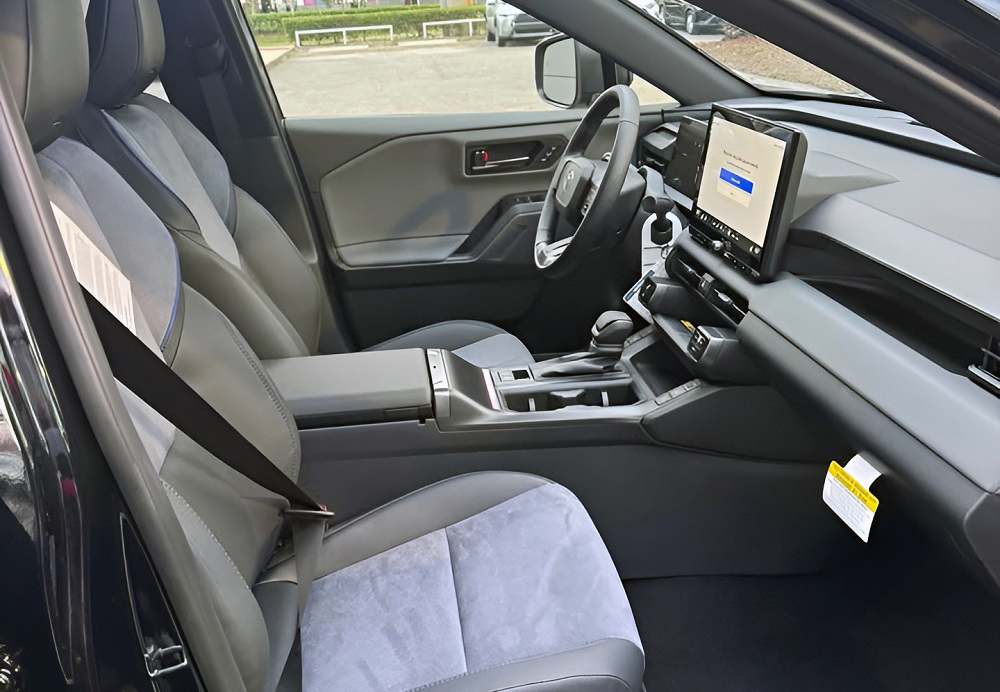
1. Stop thinking “package” and start seeing four stacked systems working under the same hood
The package breaks into four systems that control everything you feel from the driver seat
Toyota bundles tech as one option. The car runs it as four separate layers. Safety, multimedia, connectivity, and model-specific tools all stack together. Each layer talks to the others, but each one fails and updates on its own schedule.
Safety handles radar, cameras, and intervention logic. Multimedia runs the screen, menus, and voice commands. Connectivity feeds data through cellular links and cloud services. The last layer depends on the vehicle, cameras for trucks, Traffic Jam Assist for sedans, terrain views for off-road builds.
Miss one layer and the whole system feels off. A fast screen means nothing if safety logic reacts late. A strong safety suite feels clumsy if menus bury controls three taps deep.
Arene changes how these systems share data, and that shift shows up in real driving behavior
Older Toyotas ran separate ECUs for each job. One handled braking, another handled steering, another handled infotainment. Data moved slowly between them. Updates required hardware changes or dealer flashes.
Arene centralizes that flow. Core systems now pull from the same data stream. Lane sensors feed navigation overlays. Radar input sharpens driver-assist timing. Updates can push over the air instead of through a service bay.
That changes response time. Lane centering stops bouncing between lines. Navigation lines up closer to real lane position. The system still depends on sensor quality, and bad lane paint still breaks tracking at highway speeds.
What “Toyota Technology Package” actually includes once you remove the marketing label
| Layer | What it controls | Real impact behind the wheel |
|---|---|---|
| Safety suite | TSS 2.5, 3.0, 4.0 | Braking, steering assist, collision avoidance |
| Multimedia system | 8″ to 12.9″ screens, voice assistant | Menu speed, camera clarity, navigation usability |
| Connected services | Remote, Drive, Safety, Wi-Fi | App control, cloud data, subscription features |
| Model-specific tech | TJA, PVM, trailer cams, terrain monitors | Parking ease, towing visibility, off-road awareness |
Each layer can carry the package alone. Real value shows when two or more layers work together. That’s where workload drops, and where most buyers actually feel the difference.
2. Toyota Safety Sense grew from basic alerts into real traffic support you actually feel
Early systems cleaned up detection, but still waited for trouble to show up
TSS 2.5 and 2.5+ sharpened radar and camera fusion. The car reads lane edges better and tracks curves with fewer dropouts. Intersection Support adds braking when a crossing vehicle cuts in. Lane Tracing Assist holds the line, but it still leans on clear markings.
You’ll notice fewer false warnings and smoother steering inputs. The system still reacts late in dense traffic. It won’t manage gaps or predict slowdowns ahead. Most corrections still come after the situation builds.
TSS 3.0 steps in earlier and smooths the drive before you react
TSS 3.0 widens object recognition. It tracks motorcycles, guardrails, and tighter lane edges with more confidence. Proactive Driving Assist trims speed when traffic compresses. It also nudges steering to keep space from roadside objects.
You feel it most in stop-and-go traffic. The car eases off before you hit the brake. It closes gaps without sharp throttle inputs. On a daily commute, it cuts fatigue more than raw horsepower ever will.
TSS 4.0 ties safety to the car’s new software brain
TSS 4.0 debuts with the Arene architecture. That shift matters because processing moves closer to a centralized system. Data from cameras, radar, and maps flows through one logic layer. Updates can change behavior without swapping hardware.
The 2026 RAV4 runs this setup first. That means safety features can evolve over time. Expect calibration changes, not just bug fixes. This is the first Toyota where safety logic is not frozen at delivery.
The versions that actually change your drive
| TSS version | What changes in real use | What you feel behind the wheel |
|---|---|---|
| 2.5 / 2.5+ | Cleaner detection, better curves and intersections | Fewer alerts, steadier lane holding |
| 3.0 | Earlier intervention, wider object tracking, smoother control | Less braking shock, calmer traffic flow |
| 4.0 | Centralized processing with update-ready logic | Behavior can improve after you buy it |
3. Connectivity runs the car now, not just the screen
Drive Connect turns navigation into a live data feed
Toyota moved routing into the cloud. Traffic, construction, and lane data update in real time. The system reroutes before congestion locks you in. Voice commands tie into the same backend, so destination input stays hands-on-wheel.
The issue shows up when signal drops. The system falls back to onboard maps with slower refresh. Voice accuracy dips without cloud processing. Subscription cost runs about $15 per month after trial periods expire.
Cloud voice replaced buttons, and it shows when it fails
Natural voice control handles HVAC, audio, and navigation in one layer. You can say full commands without memorizing phrases. The system parses intent, not just keywords. Cabin noise and accents still trip it under load.
Failures show up as delayed responses or missed commands. The system pings servers before acting. No data link means no advanced voice logic. You’re back to touchscreen inputs with longer interaction time.
Remote Connect ties the car to your phone, with limits you feel fast
Remote start, lock, and vehicle status run through Toyota’s app. The system checks battery voltage, fuel level, and door status before executing commands. Cold weather starts rely on stable cellular coverage and server response time.
Latency varies by region and network load. Commands can take 5–20 seconds to complete. Failed attempts often trace to weak LTE signal at the vehicle. Annual subscription pricing lands near $80–$100 after trial periods.
Digital Key works until hardware or signal gets in the way
Phones act as keys through Bluetooth and cloud authentication. The system verifies proximity, then unlocks and enables start. Some trims require Ultra-Wideband for consistent detection. Older hardware relies on standard Bluetooth with shorter range.
Failures show up as missed unlocks or delayed start authorization. Phone battery level and OS background limits affect performance. Re-sync procedures take several minutes through the app. Physical key backup remains mandatory in all trims.
The system stack that runs all of it
| Feature | Hardware dependency | Failure point you’ll notice |
|---|---|---|
| Drive Connect | Cellular modem + cloud servers | Slow reroute, stale traffic data |
| Cloud Voice | Microphone + cloud processing | Delayed or missed commands |
| Remote Connect | LTE module + backend servers | Command lag or failed remote start |
| Digital Key | Bluetooth/UWB + phone OS | Unlock delays, start authorization fail |
4. Infotainment hardware finally caught up, but software still sets the pace
Larger screens fixed visibility, not processing limits
Toyota pushed displays to 12.3 inches across most trims. Resolution and brightness improved, especially in direct sun. The graphics run smoother than older Entune systems. Input lag still shows when menus stack or apps load in sequence.
The head unit runs on faster chipsets, but memory limits remain. Heavy multitasking slows transitions between navigation, media, and settings. Cold starts can take 10–15 seconds before full responsiveness. That delay shows up every morning in colder climates.
Wireless CarPlay and Android Auto reduce cable issues, add new failure points
Wireless projection removes USB dependency. Phones connect over Wi-Fi Direct with Bluetooth handshake. The system auto-launches apps within a few seconds when stable. Connection drops still happen in high-interference areas.
Common failures show as audio cutouts or frozen screens. Reconnection can take 20–30 seconds without manual reset. Firmware updates have reduced drop frequency, but not eliminated it. USB fallback remains the most stable path for long drives.
Over-the-air updates changed how bugs get fixed
Toyota moved infotainment updates into OTA delivery. The system downloads packages over Wi-Fi or cellular, then installs during parked cycles. Update sizes range from 500 MB to over 2 GB depending on system changes. Install time can exceed 20 minutes.
Interrupted updates can freeze modules mid-cycle. Recovery often requires dealer-level reflash through Techstream. Some updates reset user profiles and saved settings. A failed head unit replacement can run $1,200 to $2,500 out of warranty.
Audio systems improved output, but tuning still varies by trim
JBL systems push higher wattage and cleaner separation. Speaker count ranges from 6 to 14 depending on model. Amplifier tuning focuses on bass-heavy output in most trims. Midrange clarity drops at higher volume levels.
Base systems still use lower-grade speakers with limited power handling. Distortion appears above 70% volume. Cabin acoustics affect perceived quality more than raw wattage. Upgrading factory audio often requires full system replacement, not simple speaker swaps.
Where the system still slows you down
Boot time, connection stability, and update reliability remain the weak spots. Most complaints trace to software timing, not hardware failure. Toyota improved response speed, but has not matched the fastest systems in the segment. Expect 1–2 second delays on menu transitions under load.
5. Software-defined architecture changed how Toyota builds and fixes cars
Arene moves control from scattered modules into one core system
Older Toyotas ran dozens of ECUs with fixed roles. Each module handled one job, like braking or infotainment. Arene pulls those functions into a centralized software layer. Fewer physical modules, more shared processing across systems.
That shift changes failure behavior. A single software fault can affect multiple features at once. You’ll see linked issues like ADAS warnings with infotainment glitches. Diagnosis now requires software trace data, not just part replacement.
Zonal wiring cuts weight and changes how signals travel
Toyota reduced wiring length using zonal architecture. Instead of long harness runs, local zones handle nearby components. Data moves through high-speed networks between zones. This cuts weight and improves signal timing.
Fault tracing gets harder. A broken signal path may sit in a zone controller, not the component itself. Traditional point-to-point checks miss these failures. Repair often means replacing a controller, not fixing wiring.
OTA updates now reach core vehicle systems, not just the screen
Updates extend beyond infotainment into safety and control logic. Calibration for braking, steering assist, and energy management can change after delivery. The system downloads in the background, then installs during idle cycles. Some updates alter how the car responds under load.
Failed installs can lock modules offline. Recovery may require dealer intervention with factory tools. A corrupted update can trigger multiple warning lights at once. Reflash labor runs 1.0–2.5 hours depending on system scope.
Diagnostics shifted from parts swapping to data analysis
Technicians now pull logs instead of guessing failures. Systems record timestamps, voltage states, and communication faults. Codes extend beyond standard OBD-II into manufacturer-specific data sets. Tools like Techstream access deeper layers of system behavior.
You’ll still see familiar codes, but context matters more. A communication loss can trigger several secondary faults. Fixing the underlying issue clears multiple warnings at once. Misdiagnosis can lead to unnecessary module replacement costing $800–$2,000 per unit.
The compromise you live with every day
Centralization improves coordination between systems. It also raises dependency on software stability. A glitch no longer stays isolated to one feature. Expect multi-system faults when software errors hit shared control layers.
6. Hybrid and EV tech ties software directly to how the car moves
Power control units now manage torque, regen, and battery load in real time
Toyota’s hybrids rely on a Power Control Unit (PCU) to balance engine and motor output. It regulates inverter switching, battery current, and motor torque dozens of times per second. Small calibration changes affect throttle feel, regen strength, and fuel economy. You feel it as smoother launches or stronger engine braking.
Thermal limits still control the system. High load or heat forces the PCU to reduce output. Battery temps above 113°F trigger protection modes. That cuts power without warning during long climbs or hot weather driving.
Regenerative braking blends software with hydraulic hardware
Brake feel comes from software blending regen and friction braking. The system decides how much stopping force comes from the motor versus pads. Low speeds shift fully to hydraulic braking. That handoff point can feel abrupt if calibration is off.
Wear patterns changed with this setup. Front pads last longer due to regen sharing the load. Rear brakes can corrode faster from low use. Rotor rust buildup becomes common under 10,000 miles in humid climates.
Battery management systems control lifespan, not just charge level
The Battery Management System (BMS) tracks voltage, temperature, and charge cycles. It limits charging speed and discharge rate to protect cells. Toyota keeps usable charge between about 20% and 80% of capacity. That buffer reduces long-term degradation.
Failures show up as reduced range or sudden state-of-charge drops. Cell imbalance triggers warning lights and reduced output. Battery pack replacement can exceed $5,000 for hybrids and $12,000 for full EV systems.
Software updates can change how the drivetrain behaves
OTA updates now adjust hybrid response curves. Throttle mapping, regen intensity, and engine start timing can all shift. Drivers notice changes in acceleration feel after updates. Some updates reduce harsh transitions between engine and motor.
Not all changes land clean. Poor calibration updates can create hesitation or uneven braking feel. Reverting software often requires dealer intervention. Labor runs 1.0–2.0 hours for reflash and validation.
Where the system reaches its limit
Heat, load, and battery state define system output. Full power is not always available even with the pedal down. The system protects itself before delivering peak performance. Sustained high load can cut output by 20–40% once thermal limits hit.
7. Where Toyota’s tech still breaks, and what it costs to fix
Sensor faults trigger system-wide warnings fast
Modern Toyota systems depend on radar and camera alignment. A dirty lens or slight misalignment throws multiple alerts at once. You’ll see PCS, LTA, and cruise control shut down together. Common codes include C1A10 and C1A11 for front radar issues.
Calibration requires precise targeting equipment. Even a windshield replacement can knock the camera out of spec. Dealer recalibration runs $250–$600 per event. Skipping calibration leaves safety systems disabled.
Infotainment freezes trace to software timing faults
Head units still lock up under load. Rapid menu switching or wireless projection can overload system memory. The screen freezes, audio cuts, and inputs stop responding. Restart requires a full ignition cycle or hard reset.
Repeated failures point to firmware issues. Dealers apply TSB updates to stabilize system timing. Some units require full replacement after repeated crashes. Replacement cost ranges from $1,200 to $2,500 installed.
Battery drain shows up as a silent overnight failure
Connected services keep modules active after shutdown. A weak 12V battery drops below 12.0 volts overnight. The car won’t start, even with a healthy hybrid system. Parasitic draw often traces to telematics or ECU wake cycles.
Testing requires current draw measurement over time. Normal sleep current sits under 50 milliamps. Faulty systems can pull 150–300 milliamps continuously. Battery replacement runs $150–$300, but underlying issue fixes take diagnostic time.
OTA failures can lock features or disable modules
Interrupted updates leave systems in partial states. Features disappear or show error messages after reboot. Some modules fail to reinitialize after install. You may see multiple warning lights without a clear cause.
Recovery often needs dealer-level software tools. Reflash procedures restore corrupted modules. In worst cases, modules require replacement. Combined repair cost can exceed $1,000 when multiple systems fail.
Real failure patterns owners report most
| Failure area | What fails in real use | Typical cost range |
|---|---|---|
| Radar / camera | Misalignment, blocked sensors | $250–$600 |
| Infotainment unit | Freezing, reboot loops | $1,200–$2,500 |
| 12V battery drain | Parasitic draw from connected modules | $150–$300 |
| OTA update failure | Corrupted modules, lost functions | $300–$1,000+ |
8. Package pricing hides real value gaps across trims
Entry trims lock core tech behind bundled upgrades
Base models often include smaller screens and limited connectivity. Features like navigation, cloud voice, and Digital Key sit behind upgrade packages. Toyota groups these into bundles instead of standalone options. That forces buyers to pay for unrelated features to unlock core tech.
The jump from base to mid-tier trims can run $2,000–$4,000. Much of that cost ties to software access, not hardware changes. The screen may stay the same size while features unlock in the background. You’re paying for activation, not new parts.
Mid-tier trims hit the balance point for most drivers
Mid-level packages add Drive Connect, upgraded audio, and expanded safety features. This is where TSS 3.0 or higher usually appears. The system feels complete without pushing into premium pricing. Most daily-use features unlock at this level.
You still won’t get everything. Advanced driver assist features like traffic jam hands-free support stay limited. Premium audio tuning improves, but not to flagship levels. Expect total package pricing near $3,000–$5,000 depending on model.
Top trims stack hardware and software, but cost climbs fast
High-end trims bundle head-up display, larger screens, and full connectivity suites. Some models add advanced parking assist and surround-view systems. These features rely on extra sensors and higher processing capability. The jump in cost reflects both hardware and software layers.
Pricing increases sharply at this level. Tech-related upgrades can push total trim differences past $6,000. Maintenance costs also rise with added sensors and modules. A single surround-view camera replacement can exceed $800.
Subscription costs continue after you leave the dealer
Many features require ongoing payment. Drive Connect, Remote Connect, and cloud services expire after trial periods. Monthly fees stack depending on selected services. Losing subscription access removes key functionality.
Navigation and voice features degrade without active service. Remote commands stop working once subscriptions lapse. Annual costs can exceed $200 for full connectivity access. The system remains installed, but features stay locked behind paywalls.
Sources & References
- Five Things To Know About the All-New 2026 Toyota RAV4 – Toyota …
- What Is Toyota’s Arene Operating System? A Look Inside the 2026 RAV4’s Tech Brain
- Arene Debuts in Toyota’s All-New RAV4
- How Toyota Made its New Infotainment System a Lot Easier to Use | The Truth About Cars
- The Latest Evolution of Toyota’s Multimedia Coming to a Screen Near You
- Toyota Introduces Enhanced Multimedia System – SFGATE
- How Toyota Safety Sense 4.0 Elevates the 2026 RAV4 – Marietta Toyota
- Toyota Safety Sense 4.0? – Reddit
- All-New Toyota Audio Multimedia Features Coming Soon
- Toyota Safety Hub – Vehicle Safety Features | Toyota Owners
- The Evolution of Safety at Toyota – Part 2: Toyota Safety Sense for All
- Toyota Safety Sense 2.5 vs 3.0: Real-World Guide
- 2026 Toyota Tacoma: Complete List of Specifications & What’s New
- Now that pricing is out for the 2026 RAV4, anyone know the TSS 4.0 benefits over 3.0?
- 2026 Toyota RAV4 Hybrid Safety System… Is TSS 4.0 Actually Better!? – YouTube
- Toyota Motor North America Introduces Next-Generation Multimedia System To Deliver Best In-Car User Experience
- New 2026 Toyota RAV4 Model Research
- 2025 Toyota Camry Trim Levels at Burnsville Toyota
- 2025 Toyota RAV4 vs. 2026 Toyota RAV4 – Toyota of Glendale
- 2026 Toyota RAV4 | Toyota.com
- How the 12.9-Inch Toyota Audio Multimedia System Enhances Daily Driving in the 2026 Toyota RAV4 in Nampa, ID
- Key Differences Between the 2026 and 2025 Toyota RAV4
- 2026 vs 2025 Toyota RAV4- Why The 2026 RAV4 Reigns | Tustin Toyota
- Configurations For 2025 Toyota Camry: Trims, Specs & More!
- 2026 Toyota RAV4 vs 2025 Toyota RAV4 – Comparison, Upgrades
- 2026 Toyota RAV4 Trim Levels
- 2026 Toyota RAV4 Trim Levels Explained: Which One Should You Choose
- 2026 Toyota Camry vs. 2026 Toyota RAV4 – Car and Driver
- Toyota RAV4 Finally Gets Apple Car Key — But There’s a Catch – Autoblog
- Apple Car Key support now available on the 2026 Toyota Rav4 – AppleInsider
- What is the 2025 Toyota Camry Premium Plus Package?!? It’s over $4k! #toyotacamry #details – YouTube
- 2025 Toyota Camry’s
- Discover the 2025 Toyota Camry XLE – Tustin Toyota
- What’s New with the 2026 Toyota Tundra
- 2026 Toyota Tundra Trim Levels
- What’s New: 2026 Toyota Tacoma
- Building a 2026 Toyota Tacoma TRD Sport
- New 2026 Toyota Tacoma Model Research
- 2026 – Fleet Guide – Toyota
- Toyota Safety Connect Explained
- Toyota Connected Services Explained | Toyota Parts Center Blog
- Toyota Connected Services
- What Is Toyota Safety Connect: Full Guide – Brunswick
- Connected Services Plans – Toyota
- Connected Services | Toyota Owners
- Kelley Blue Book Announces 2026 Best Resale Value Award Winners
- Toyota named Kelley Blue Book’s Best Resale Value Brand in 2025
- Toyota bZ4X KBB Value & Depreciation Guide 2025 – Recharged
Was This Article Helpful?